

Can clear self adhesive labels be used for CD or DVD labels?
Oct 14, 2026
Leave a message
When you think about labeling media like CDs and DVDs, what usually comes to mind? Many people default to the matte, white paper labels that you print at home with an inkjet printer, or the high-gloss silver designs sold in office supply stores. But as a supplier specializing in clear self adhesive labels, I get asked this question all the time: can these see-through adhesive labels actually work for CD and DVD labeling? The short answer is yes—they absolutely can, but there’s a lot more to it than just sticking a random clear label onto a disc. After years of working with content creators, small business owners, and independent designers who rely on physical media, I’ve learned that clear labels offer unique benefits for CD and DVD use, as long as you choose the right product and follow a few key guidelines.
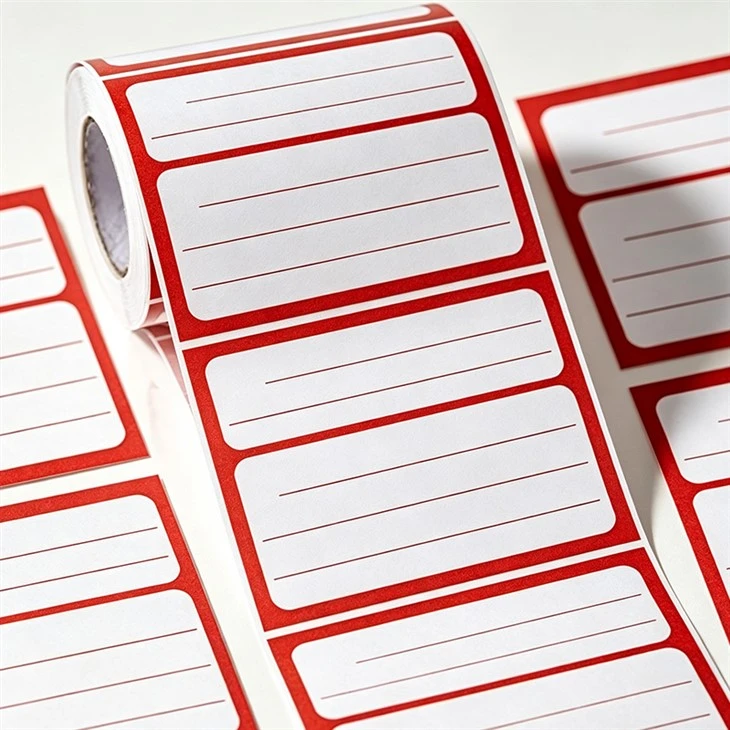
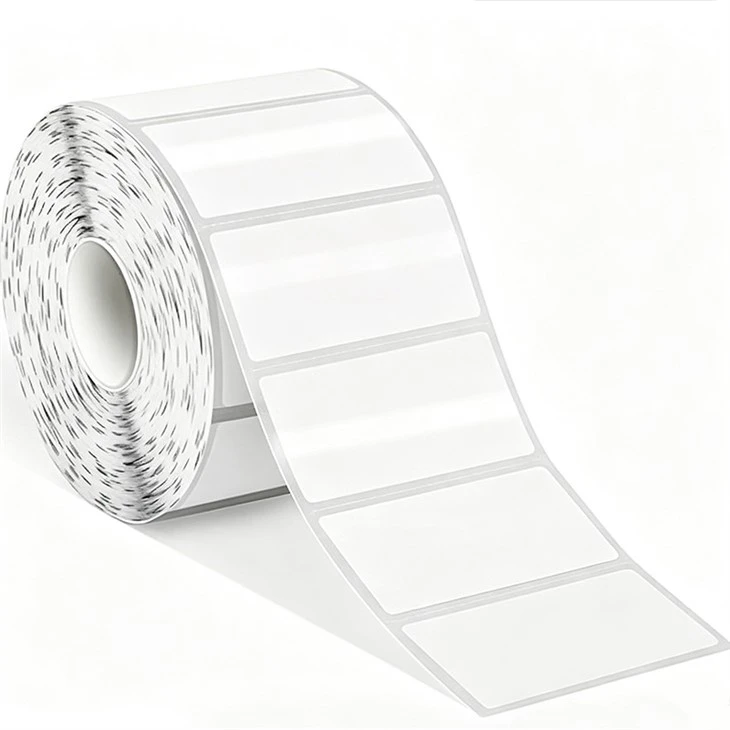
First, let’s break down why clear self adhesive labels are different from standard labels made for paper or other surfaces. When I explain this to customers, I start by talking about their primary material. Most clear self adhesive labels we offer are made from a thin, durable polyester (PET) film, with a low-tack, acid-free adhesive designed to stick firmly without leaving residue when removed. That’s a big deal for CDs and DVDs, which have a delicate data layer just under the printed label side. If the adhesive is too aggressive, it can damage that layer over time, ruining the disc. That’s why our clear labels are formulated specifically for smooth, non-porous surfaces like polycarbonate, the material used for all optical discs.
The biggest advantage of clear labels for CDs and DVDs is their sleek, professional look. Unlike white or silver labels that can clash with the disc’s own reflective surface, clear labels let the subtle sheen of the disc show through. For independent musicians, for example, this means their album art doesn’t get overpowered by a thick white label. A folk artist I worked with last year used our clear self adhesive labels to put a simple, hand-drawn tree design on her debut EP— the clear film made the design look like it was printed directly onto the disc itself, rather than stuck on top. It gave her product a minimalist, modern vibe that stood out at local record fairs, and she told me fans consistently commented on how “clean” the CD looked in their collections.
There’s also a functional benefit for people who use discs for archival purposes. Many archivists prefer clear labels because they don’t trap light, moisture, or dust between the label and the disc surface. Paper labels, even the “archival” kind, are porous—they can absorb tiny amounts of humidity over time, which can cause the adhesive to break down or the disc’s reflective layer to degrade. Our clear labels, especially the Waterproof Self Adhesive Labels we carry, create a near-perfect seal that helps protect the disc from everyday wear and tear. I’ve seen this firsthand with a local video production company that uses DVDs to archive client footage. They used to go through 20% more discs because paper labels would peel or develop bubbles after six months in storage. Since switching to our clear labels, that number dropped to less than 2%, saving them hundreds of dollars a year in replacement costs.
But before you run out and buy the first clear self adhesive labels you see, there are a few critical things to keep in mind. The most important is size: CD and DVD labels have very specific dimensions, and using the wrong size can cause big problems. A standard CD has a label area that’s 118mm in diameter, with a 15mm center hole for the spindle. If you use a label that’s even a millimeter too small, it won’t cover the entire printable surface, leaving edges exposed to scratches or moisture. If it’s too big, it will overlap the hub or the edge of the disc, which can cause the disc to wobble in a player or get stuck in a drive. That’s why we recommend our Full Page Adhesive Labels? Wait, no, let me get that right—actually, for disc labeling, we have custom-cut clear labels designed specifically for CD/DVD dimensions. Our website has a whole section dedicated to media labeling, but if you’re not sure, you can check out our main Clear Self Adhesive Labels page for specifications tailored to optical discs.
Another key factor is compatibility with your printing method. Not all clear labels work with every printer. If you’re using an inkjet printer, you need clear labels with a special coating that lets ink dry quickly and doesn’t smudge. Laser printers require labels that can withstand high heat, because laser printers use fuser rollers that get very hot to melt toner onto paper. Our clear self adhesive labels are available for both inkjet and laser use, and we have a guide on our website that helps you match the right label to your printer. Last month, a graphic designer called me panicking because her laser-printed clear labels were melting halfway through a print job. She had bought cheap labels from a big box store that weren’t heat-resistant, and they were damaging her printer. We sent her a sample of our laser-compatible clear labels, and she was able to print her CD covers without any issues.
One common mistake I see people make is trying to use general-purpose adhesive labels for CDs and DVDs. For example, some people will grab Sticky Business Labels and cut them down to size for a CD, but that’s not a good idea. Sticky business labels are designed for paper, cardboard, or non-porous surfaces like plastic folders, but their adhesive isn’t formulated for polycarbonate. It might stick at first, but it can peel off within a few months, leaving a sticky residue on the disc. That residue is a nightmare to clean, and if it gets near the data layer, it can make the disc unreadable. We once had a customer send us a CD that had a general-purpose label stuck to it; when she tried to peel it off, most of the label stayed behind, and she ended up ruining the disc. It’s a costly error that’s easy to avoid by using labels made specifically for optical media.
Self Adhesive Mailing Labels are another product people often ask about for discs, but those are designed for envelopes and packages—they’re usually smaller, have a stronger adhesive, and don’t have the right balance of flexibility for curved disc surfaces. CD and DVD surfaces are slightly curved, so the label needs to be flexible enough to lie flat without bubbling or lifting at the edges. Our clear labels are thin enough to conform to the disc’s curve, but durable enough to resist creasing, even when you’re applying them by hand. If you’re applying labels to a large batch of discs, we also have a range of applicator tools that make the process faster and reduce errors, which is a big help for small businesses or artists pressing multiple copies of their work.
When it comes to application, there’s a right way and a wrong way to put a clear label on a CD or DVD. First, you need to clean the disc surface thoroughly. Even tiny specks of dust or oil from your fingers will show through a clear label, creating bubbles under the surface. Use a soft, lint-free cloth (like a microfiber lens cloth) and a small amount of isopropyl alcohol to wipe the label side of the disc, then let it dry completely. Next, peel the label off the liner sheet slowly, starting from one edge, and align it perfectly with the disc’s center hole. Once it’s in place, press it down from the center outward, using a clean cloth or a rubber squeegee to remove any air bubbles. It’s important not to touch the adhesive side of the label with your fingers, because oil from your skin can weaken the bond. If you get a bubble, you can gently lift the label and re-apply it, as long as you don’t stretch it—our clear labels have enough flexibility to do that without damaging the print.
Another thing to consider is the environment where the discs will be used and stored. If you’re making CDs to sell at outdoor events, or to keep in a car glove box where temperatures can fluctuate, our Waterproof Self Adhesive Labels are a great choice. They’re resistant to water, humidity, and UV light, so they won’t fade or peel if exposed to the elements. For artists who sell CDs online, durability is key—fans will often store discs in cases or throw them in a bag, so the label needs to hold up to regular handling. Our clear labels are also resistant to scratches, so even if a disc is tossed around, the design will stay intact.
I should also address a concern some people have: do clear labels affect the playability of CDs or DVDs? The short answer is no, as long as you’re using the right size and applying it correctly. The label is on the opposite side of the disc from the laser that reads the data, so it doesn’t interfere with the laser’s ability to access the content. In fact, some audiophiles swear by clear labels because they keep the disc balanced better than thicker paper or plastic labels. A well-applied clear label adds only a tiny amount of weight to the disc, which means it spins more smoothly in a CD player, reducing the chance of skipping. That’s a big plus for people who listen to music or watch movies on older players that are more sensitive to disc balance.
Of course, clear labels aren’t the right choice for every situation. If you’re making discs for a work presentation where you need the label to be highly visible from across a room, a white or silver label might be a better option. Or if you have a very complex design with lots of small details, a white label can make the colors pop more than a clear one. But for many people—independent creators, video archivists, small businesses—clear labels check all the boxes: they look professional, protect the disc, are durable, and easy to apply once you know what to look for.
If you’re new to using clear self adhesive labels for CDs or DVDs, I recommend starting with a small order to test. Our Clear Self Adhesive Labels are available in a variety of sizes, including custom-cut disc labels, so you can find the right fit for your project. We also offer samples for many of our products, so you can test how they work with your printer and your application process before placing a larger order. For anyone who’s using discs for archival purposes, we always suggest looking for labels that are acid-free and lignin-free—all of our labels meet those standards, because we know how important it is for media to stay intact for years.
At the end of the day, the goal of labeling a CD or DVD is twofold: to make the disc easy to identify, and to protect it. Clear self adhesive labels do both, and they add a sleek, modern touch that sets your product apart from generic labels. Whether you’re a musician pressing your first EP, a video archivist storing family footage, or a small business distributing product guides on disc, clear labels are a viable, effective option that’s worth considering.
If you’re ready to learn more about the right clear labels for your CD or DVD project, or if you have questions about sizing, printing compatibility, or application, our team is here to help. We’ve worked with hundreds of customers to find the perfect labeling solutions for their media needs, and we can guide you through every step, from choosing the right product to getting the best results. Don’t hesitate to reach out to us to discuss your specific requirements.
References
- National Archives and Records Administration. (2019). "Optical Media Care and Handling Guidelines." Federal Records Management.
- International Organization for Standardization. (2021). "ISO 18925:2021 – Information and documentation – Optical media for long-term storage." ISO Standards.
- Society for Imaging Science and Technology. (2020). "Labeling Solutions for Archival Optical Discs." Journal of Imaging Science and Technology.
- Recording Industry Association of America. (2022). "Physical Media Best Practices for Independent Artists." RIAA Industry Resources.
Send Inquiry